 Welcome to Guru99 AI Report! Together With 👉 Teramind 👈 | Top Story: AI is quietly changing how products are built, work gets done, and decisions are made. This edition explores what's actually shifting beneath the surface - and why a few recent moves might matter more than they first appear. | 🚀 Google Just Made AI Personal - and It's a Game Changer 
Brief Buzz: Google is pushing its AI assistant beyond generic answers. Gemini Personal Intelligence taps into a user's own data - with permission - to deliver more tailored responses, marking a major step in Google's bid to make AI genuinely useful (and sticky). Here's the official announcement from Google. - Gemini Personal Intelligence personalizes replies using context from Gmail, Photos, YouTube, and Google Search
- Available only to paid AI Pro and Ultra users (for now)
- Opt-in only, with granular controls and the ability to turn it off anytime
- Google says your inbox and photos aren't used to train models, relying instead on limited prompt data
- Built-in guardrails aim to avoid sensitive assumptions (like health or finances), though early reactions suggest room for error - see this industry discussion on X
Why Should You Care?
This is about AI that actually knows you - your habits, preferences, and context - without you repeating yourself. Done right, it could save time and make assistants far more useful. Done wrong, it sharpens concerns around privacy, accuracy, and over-personalization. With Apple set to use Google tech to power next-gen Siri, Gemini's personalized AI could soon reach billions - reshaping how everyday users interact with AI, whether they planned to or not. 
| | 👉 In partnership with Teramind 
Teramind AI-driven User & Entity Behavior Analytics (UEBA) learns a baseline for every user and device with machine-learning models, then scores risk whenever live activity deviates.This automated profiling highlights abnormal log-ons, data access, or workflow shifts so security teams see emerging insider threats before policy rules even fire. Deep-learning algorithms stream-scan keystrokes, clipboard events, screen pixels, and file moves, issuing predictive alerts or automatically blocking exfiltration seconds in advance. Real-time anomaly detection cuts through noise, letting analysts focus on the few AI-flagged sessions that matter most. Teramind also "monitors the monitors": it recognizes ChatGPT, Gemini and other LLM sessions, parses prompts and outputs with NLP content inspection, and quarantines anything that resembles sensitive data. Dashboards quantify enterprise AI adoption and surface risky usage patterns, giving managers the insight to foster safe, productive generative-AI workflows. - Generative-AI content guardrails: NLP engines inspect ChatGPT/Claude prompts and outputs on the fly, flag unusual usage and quarantine sensitive text to enforce DLP.
- Predictive workforce insights: Teramind's AI engine fuses hundreds of behavioural signals to surface disengagement trends, hidden leaders and early insider-threat cues.
| | 🧠 The Hidden Barriers Holding AI Back - and the Massive Opportunity Beyond Them 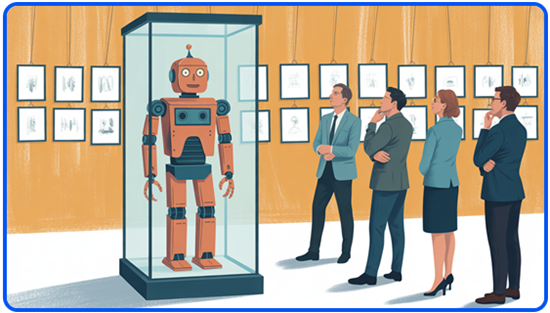
Brief Buzz: Most companies run on unwritten rules and tribal knowledge—great for humans, terrible for AI. While AI agents can process what happened inside an organization, they struggle to understand why decisions were made. That missing context is now the biggest blocker to real enterprise automation. - Roughly 90% of company knowledge is tacit and undocumented, as detailed in research on tacit knowledge transfer and sharing
- Anthropic notes AI adoption is limited more by access to information than model capability, per its economic impact report
- Enterprise tools capture actions, but miss context, exceptions, and reasoning hidden in Slack, emails, and conversations
- Foundation Capital investors Jaya Gupta and Ashu Garg call the missing layer a "context graph," outlined in AI's trillion-dollar opportunity
- The company that builds this layer could unlock true AI agent automation
Why Should You Care?
Until AI understands human judgment - not just data, it will keep making shallow decisions. Solving the "why" layer means smarter workplace tools, fewer costly mistakes, and AI that finally acts like a reliable teammate—not a clueless intern. | | ⚡️ 5 AI Tools to Supercharge Your Productivity 👉 Paychex - delivers AI powered conversational HR and payroll support, AI driven recruiting for candidate matching, predictive analytics for workforce trends, and generative AI insights via natural language queries, enabling automation and faster data informed decisions. 👉 ActivTrak - AI-powered workforce-analytics engine auto-classifies every app & website activity to reveal focus vs distraction trends and productivity baselines. Predictive coaching dashboards surface "nudges" for managers, using ML to flag at-risk teams and recommend schedule or workload tweaks. 👉 CapFront - This small-business funding marketplace uses "innovative technology" including machine-learning and AI-driven analytics to assess credit risk more quickly and accurately, enabling faster approvals and streamlined underwriting. 👉 Human Interest - The platform uses AI-driven compliance intelligence to continuously monitor regulatory requirements, automatically flag anomalies, and reduce the administrative burden associated with plan oversight. 👉 EZ Texting - includes AI Compose, an AI-powered assistant that drafts customized, targeted SMS content suggestions to speed up campaign creation. It also supports AI-driven replies that leverage your knowledge base for faster, accurate automated customer responses. | | 🤖 A Smarter Browser Is Coming - and It Does the Work for You 
Brief Buzz: In a striking new blog post from Cursor, Cursor revealed it ran hundreds of AI coding agents autonomously for weeks, culminating in a fully functional web browser—over 3 million lines of code, built from scratch in under a week using GPT-5.2. - Agents were organized into planners, workers, and judges, inspired by the open-source Ralph Wiggum agent pattern
- The browser could load simple websites correctly, with no human-written code
- Other experiments included a Windows 7 emulator, an Excel-style clone, and a 1M+ line internal code migration
- Cursor found GPT-5.2 sustained long autonomous runs better than Claude Opus 4.5, which tended to shortcut tasks (see the founder's breakdown on X)
Why Should You Care?
This suggests a turning point: entire software systems can now be built by AI teams working nonstop. That means faster releases, lower development costs, and smaller teams shipping massive products—but it also reshapes who builds software and how tech jobs evolve. | | 🚀 China Finds a Smarter Way to Train AI - With Fewer Chips 
Brief Buzz: A new research paper shows Chinese AI lab DeepSeek has uncovered a way to train large AI models without depending on cutting-edge GPUs, a development highlighted in the South China Morning Post's reporting on DeepSeek's GPU-bypassing training technique. The breakthrough arrives as hardware shortages and costs put pressure on the entire AI industry. - DeepSeek, led by founder Liang Wenfeng, partnered with Peking University to introduce a conditional memory approach, detailed in the published model-training paper
- The method avoids wasting compute on trivial tasks, reserving memory for complex reasoning
- In benchmarks, a 27B-parameter model outperformed rivals while using far less GPU memory
- The timing is notable as export controls and a growing high-bandwidth memory shortage continue to squeeze AI developers
- Despite constraints, China leads open-weight AI, with Alibaba Qwen outpacing Meta Llama downloads on Hugging Face, according to analysis from the Stanford Institute for Human-Centered Artificial Intelligence on China's open AI ecosystem
Why Should You Care?
As AI becomes more expensive to build, efficiency decides who can compete. China's push toward low-cost, open-source models is already drawing interest from US companies experimenting with free Chinese AI tools, as reported by NBC News — even as Chinese AI leaders warn of a widening gap with the US if compute shortages persist, according to Bloomberg's reporting. | | 🎼 How Suno Turns Simple Prompts Into Full Songs in a Minute 

With Suno, you can create a royalty-free, original song with vocals that's ready for YouTube videos, podcasts, ads, or TikTok - all without touching an instrument or a DAW. We've already covered a lot about Suno's lawsuits, funding, and partnerships, so to kick off this new section of the newsletter, we wanted to clearly show you what Suno does and how to use it. Step-by-step - Go to suno.com, sign up free, and click Create. At the top, toggle to Custom mode - this unlocks control over lyrics and song structure.
- In Style of Music, layer genre + mood + instruments + vocals. Be specific here - the more detail you add, the better the output will be.
Melodic house, euphoric, driving bassline, bright synths, chopped vocal samples, 124 BPM, festival anthem - Add lyrics with metatags to shape your song. Key tags to use are [Intro], [Verse], [Chorus], [Build], [Drop], and [Outro].
[Verse] Chasing lights into the night
[Build] We're rising, we're rising
[Drop] (instrumental) - Pro subscribers can open Advanced Options and set Weirdness to 20–30% for a clean output, and Style Influence to 70%+ to lock in your sound. (Pro is $10/mo or $8/mo yearly - free users can skip this step.)
- Hit Create - Suno generates 2 versions in about 30 seconds. Use Regenerate4–6 times until you're happy, then download the MP3 from the menu.
💡 Pro Tip Before regenerating, try making small, targeted tweaks to your Style of Music or lyrics metatags instead of rewriting everything - this helps Suno converge on a polished result faster while preserving what already works. | | ✨ How to Learn Anything Faster (Without Working Harder) Prompt: [SUBJECT]=Topic or skill to learn
[CURRENT_LEVEL]=Starting knowledge level
(beginner/intermediate/advanced)
[TIME_AVAILABLE]=Weekly hours available for learning [LEARNING_STYLE]=Preferred learning method (visual/auditory/hands-on/reading)
[GOAL]=Specific learning objective or target skill level
Step 1: Knowledge Assessment
1. Break down [SUBJECT] into core components
2. Evaluate complexity levels of each component
3. Map prerequisites and dependencies
4. Identify foundational concepts
Output detailed skill tree and learning hierarchy
~ Step 2: Learning Path Design
1. Create progression milestones based on [CURRENT_LEVEL]
2. Structure topics in optimal learning sequence
3. Estimate time requirements per topic
4. Align with [TIME_AVAILABLE] constraints
Output structured learning roadmap with timeframes
~ Step 3: Resource Curation
1. Identify learning materials matching [LEARNING_STYLE]:
- Video courses
- Books/articles
- Interactive exercises
- Practice projects
2. Rank resources by effectiveness
3. Create resource playlist
Output comprehensive resource list with priority order
~ Step 4: Practice Framework
1. Design exercises for each topic
2. Create real-world application scenarios
3. Develop progress checkpoints
4. Structure review intervals
Output practice plan with spaced repetition schedule
~ Step 5: Progress Tracking System
1. Define measurable progress indicators
2. Create assessment criteria
3. Design feedback loops
4. Establish milestone completion metrics
Output progress tracking template and benchmarks
~ Step 6: Study Schedule Generation
1. Break down learning into daily/weekly tasks
2. Incorporate rest and review periods
3. Add checkpoint assessments
4. Balance theory and practice
Output detailed study schedule aligned with [TIME_AVAILABLE]
Source: r/ChatGPTPromptGenius | | 📸 AI Generator Images: Games 
| |
|
